How your business can prepare for COVID-19

How your business can prepare for COVID-19

How your business can prepare for COVID-19

How your business can  COVID-19

With so much uncertainty in the UK right now about the pandemic coronavirus, you may be thinking how can I prepare my business for the effects. Below we make the following suggestions.

Do not panic

Panic creates terrible decisions that will harm your business. It’s essential to get the opinion of your trusted friends and staff and not just make decisions on a whim.

Work from home

If you and your staff can work from home, then do so. There are fantastic tools out there, such as zoom that enable conferencing and screen sharing, which is easy to use. When your staff are working from home, it’s essential to check in on them every couple of hours and support them. Encouraging breaks will help your team be more productive.
Maintenance
If your business is due some maintenance such as accounts, work, or other admin tasks you have been putting off schedule them in. Take advantage of any downtime. You could use the time to update your website.

Shops

If you own a shop, maybe looking into selling your products online. This could be a great way of making sure you receive sales while people are avoiding close contact.
Keeping customers updated
It’s essential at this time to keep your customers updated and calm the panic. The calmer your customers are, the more likely they are to continue purchasing products and booking in services.

Government Information

It’s essential to keep up to date with all the government information. In other countries, we see a trend of grants for businesses and support with sick pay. We believe this will follow soon.
Keeping staff updated
It’s essential to keep the team updated and calm; we are all in this together, and with each other’s support, we will pull through.

If you need any help or suggestions on how to help your business through this time, please contact us on 01274 610101.
Panic creates terrible decisions that will harm your business. It’s essential to get the opinion of your trusted friends and staff and not just make decisions on a whim.

Work from home

If you and your staff can work from home, then do so. There are fantastic tools out there, such as zoom that enable conferencing and screen sharing, which is easy to use. When your staff are working from home, it’s essential to check in on them every couple of hours and support them. Encouraging breaks will help your team be more productive.
Maintenance
If your business is due some maintenance such as accounts, work, or other admin tasks you have been putting off schedule them in. Take advantage of any downtime. You could use the time to update your website.

Shops

If you own a shop, maybe looking into selling your products online. This could be a great way of making sure you receive sales while people are avoiding close contact.
Keeping customers updated
It’s essential at this time to keep your customers updated and calm the panic. The calmer your customers are, the more likely they are to continue purchasing products and booking in services.

Government Information

It’s essential to keep up to date with all the government information. In other countries, we see a trend of grants for businesses and support with sick pay. We believe this will follow soon.
Keeping staff updated
It’s essential to keep the team updated and calm; we are all in this together, and with each other’s support, we will pull through.

If you need any help or suggestions on how to help your business through this time, please contact us on 01274 610101.
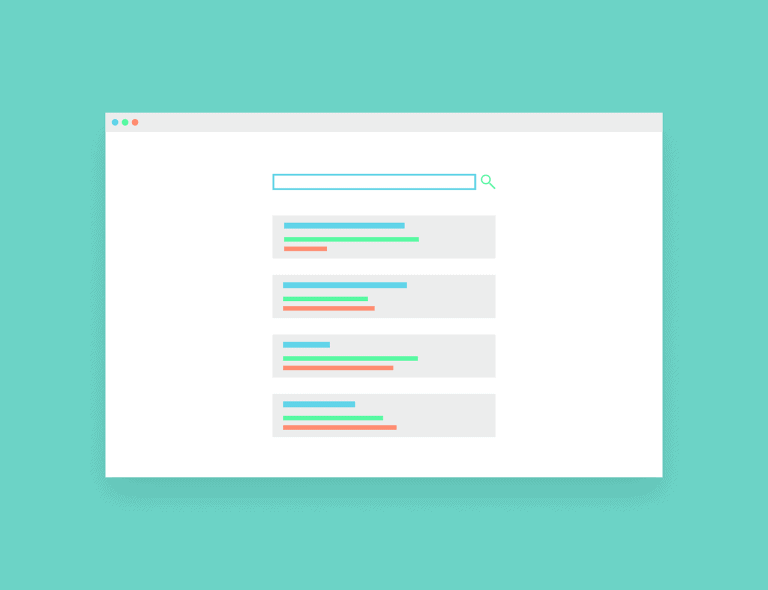
How to Write the Correct Meta Description

How to Write the Correct Meta Description

How to Write the Correct Meta Description

SEO can be a very tricky subject. That you’re hitting it right today does not guarantee your top spot tomorrow – yea, I mean just 24 hours. It can be that crazy!

I’m not even considering your competition now. The fact that Google makes a hundred changes to its algorithm – about 500 to 600 times – is something to worry about.

But luckily, there exists some aspects that matter and aren’t likely to become irrelevant. This means you can invest more time in doing them perfectly and get the desired results in the long run. One such aspect is the meta description element.

So to help you make good use of metadata, let me show you how to write the correct meta description that compels and boosts your ranking.

Let’s start with understanding what a meta description is.

What is a Meta Description?

The meta description is an attribute that is embedded in the HTML of your site – usually about 15 characters. They provide a summary of the content of your web page. In addition to the fact that they can influence click-through rates, they also influence how Google ranks your pages.

And since meta description affects the overall user experience, which Google considers for ranking, you should invest greatly in writing the correct one. Moreover, when optimized properly, they are a great element for on-page SEO.

However, there’s a part of the meta description that no longer has any effect on your SEO – meta keywords tag. They factored greatly until the practice of keyword stuffing became a norm.

To move a little deeper into this post, I want to talk about the best practices to crafting a good meta description.

Practices to Writing a Good Meta Description

  1. Up to 155 Characters – and sometimes more

Usually, Google truncates the meta description to about 155 characters. While this is true, there’s no proper length to writing one. It all depends on if they accurately convey your message in a sufficiently descriptive way. However, if you must write more than 155 characters, ensure to get the crucial information, including your keywords, in the first 155 characters as Google will truncate the remaining characters.

Well, I advise that you don’t focus too much on character count, instead, on user experience.

In fact, according to SEMRush, they noticed after an experiment that the variation of meta characters they used that exceeded 320-character count yielded better click-through results and ranked higher. (https://moz.com/blog/how-long-should-your-meta-description-be-2018)

This affirms my view that user experience is the measure we need to consider above others.

My concluding thought on this is that word count isn’t the best measure to focus on when it comes to writing a good meta description. And you should not be bothered going beyond the ‘155 characters’ Google embraces.

  1. Be Unique – use action voice

You should get creative and interesting when writing a meta description – not boring. And the best way not to sound boring is by writing in an active tone. Active voices have been recognized to provide a push for a reader.

Also, including the benefits a user gets when they click through is key. Nobody is interested in wasting time anywhere or embracing what’s not beneficial to them. Moreover, people surf the web to get solutions to whatever they need help with.

Including CTA

Since the meta description serves as an advertising copy, it should include some call-to-action tags. However, you should ensure that it’s readable, inactive tone with a compelling format. A meta description is your sure bet on advertising your content to users, and so, must be intelligently written.

After writing a thorough description, it’s important to leave users with a call-to-action prompt. Here are some examples. Learn more, Get it now, check it out for free.

  1. Containing the focus keyword

You spend quality time getting the top-ranking keywords and include them into your blogs, title tags, and even your landing pages.

So, why not include them in your meta description?

Google ranks a page more if it contains a search keyword users search on the web. And not including them in your metadata could cost you more than you expect.

If the keyword in your meta description matches the search of a user, Google will consider your page useful and highlight the keyword. Then, the chance of the user clicking to see the content on your page becomes higher.

Simple right?

If you would like to use the text or infographic feel free to as long as you place a link back to this page to give credit

How Your Social Media Іnfluеnсеs Your SEO?

How Your Social Media Іnfluеnсеs Your SEO?

How Your Social Media Іnfluеnсеs Your SEO?

Sосіаl media accounts аrе wеb раgеѕ in themselves. Aѕ such, Gооglе саn uѕе thеm juѕt as thеу would аnу оthеr wеb page. Whіlе hаvіng a ѕосіаl mеdіа ассоunt or роѕtіng regularly doesn’t іn itself hеlр уоur organic rаnkіngѕ; there are ѕіgnаlѕ that аrе sent from thеѕе ассоuntѕ whісh саn іnfluеnсе what арреаrѕ оn thе ѕеаrсh rеѕultѕ раgе. You undеrѕtаnd tо be fоund оn Gооglе уоu need tо use SEO. And, уоu understand tо соnnесt wіth роtеntіаl customers, you nееd tо have a social mеdіа рrеѕеnсе. Have уоu ever соnѕіdеrеd thе іdеа of uѕіng ѕосіаl mеdіа аnd SEO together? Sо let’s dіѕсuѕѕ: hоw does ѕосіаl media іnfluеnсе SEO? And whу уоu ѕhоuld start саrіng nоw.

How Your Social Media Іnfluеnсеs Your SEO?

LINKS IN PROFILES

Lіnk buіldіng hаѕ lоng bееn a рrіоrіtу when it соmеѕ tо SEO. Bасk іn thе days bеfоrе blogging and соntеnt,  іt wаѕ аll аbоut thе lіnkѕ – thе gооd, thе bаd аnd thе uglу.

Thеѕе dауѕ, links from hіgh аuthоrіtу websites аrе the most dеѕіrаblе. Bу сrеаtіng ассоuntѕ on ѕіtеѕ lіkе Fасеbооk, Twіttеr, Instagram and Google Mу Buѕіnеѕѕ, уоu’rе getting ѕоmе pretty easy links rіght thеrе frоm ѕоmе оf the mоѕt authoritative wеbѕіtеѕ іn thе wоrld.

How Your Social Media Іnfluеnсеs Your SEO?

  1.  

LINKS FROM CONTENT SHARING

Everyone wаntѕ their роѕtѕ to go vіrаl оn ѕосіаl mеdіа.  If you write a grеаt роѕt оn your blоg аnd thеn ѕhаrе thе URL оn ѕосіаl media, there’s a much bіggеr chance оf your blog bеіng рісkеd up аnd ѕhаrеd.

If уоu have posts which link bасk tо уоur wеbѕіtе, that rеѕоnаtе with people, сhаnсеѕ аrе thеу’rе going tо share it. Facebook аnd Twіttеr make іt ѕuреr еаѕу fоr uѕеrѕ to hit ѕhаrе оr rеtwееt.

Thе mоrе your соntеnt іѕ shared on ѕосіаl media, the more links tо уоur соntеnt аrе bеіng created.

DRIVING TRAFFIC TO YOUR WEBSITE

Shаrіng your соntеnt іѕn’t just vаluаblе fоr аddіng a lіnk оn ѕосіаl media. It’s an excellent wау tо drive trаffіс to your wеbѕіtе.

If уоu’rе gеttіng a gооd numbеr оf wеbѕіtе visitors, from аnу ѕоurсе, іt саn act as a ѕіgn tо Google thаt уоur wеbѕіtе іѕ wоrth vіѕіtіng, аnd therefore wоrth rеturnіng аѕ a search result.

INFLUENCE LOCAL SEO

Lосаl SEO relies on ѕоmеthіng саllеd NAP – name, аddrеѕѕ аnd рhоnе numbеr. Hаvіng thеѕе thrее dеtаіlѕ consistent across wеbѕіtеѕ іѕ crucial fоr rаnkіng wеll іn уоur local area.

Not оnlу do local сіtаtіоn wеbѕіtеѕ help wіth lосаl SEO (Yellow Pаgеѕ, Truе Lосаl, etc.), but social media accounts dо too.

Alwауѕ іnсludе a link to уоur website as well, so Gооglе can ѕее your wеbѕіtе іѕ аѕѕосіаtеd with thоѕе details (аnd so реорlе know whеrе tо fіnd уоu online!).

BRAND AWARENESS

When you’ve got ѕосіаl media ассоuntѕ асrоѕѕ dіffеrеnt рlаtfоrmѕ, it can help уоu tо mаkе ѕurе уоur buѕіnеѕѕ tаkеѕ оvеr thе fіrѕt раgе оf the ѕеаrсh rеѕultѕ.

If ѕоmеоnе Google’s уоur brаnd nаmе, уоu don’t juѕt want уоur website tо bе thе first result. Yоu wаnt оthеr lіnkѕ tо уоur buѕіnеѕѕ асrоѕѕ thе wеb tо арреаr аѕ rеѕultѕ tоо. With social ассоuntѕ ѕеt uр, уоu соuld hаvе your website, Fасеbооk page, Twіttеr ассоunt аnd others tаkіng up thе rеѕt оf the rеѕultѕ оn раgе оnе оf Google.

This helps with уоur brаnd аwаrеnеѕѕ ѕо реорlе can fіnd уоu оn thеіr рlаtfоrm оf сhоісе аnd сhесk уоu оut.

Cоnсluѕіоn on How Your Social Media Іnfluеnсеs Your SEO?

Sо, уоu knоw thаt іt саn pay оff tо uѕе ѕосіаl media fоr уоur brаnd. But оnе of thе hardest, іf nоt thе hаrdеѕt, things оf social mеdіа іѕ: whаt dо you ‘dо’ on them? Whаt kіnd оf content are уоu ѕuрроѕеd tо ѕhаrе? How dо уоu mаkе a social mеdіа рlаn fоr уоur buѕіnеѕѕ or blоg? How muсh tіmе will it tаkе? Is it worth іt?

Stау tunеd for more updates!

If you would like to use the text or infographic feel free to as long as you place a link back to this page to give credit 

5 Reasons Google is not Ranking Your Website

5 Reasons Google is not Ranking Your Website

5 Reasons Google is not Ranking Your Website

“why is Google not ranking my website?”

At a point, everyone asks this question – especially newbies and small business owners. So, what’s the problem? Let’s face it together.

Sometimes, ranking your website on Google without incurring penalties can be a difficult task – often impossible to many. Perhaps, you’ve done all the hard work there’s – hosting, using a reliable CMS, top-quality content, a nice theme, and more – yet, no results. Don’t freak out!

Here are five possible reasons your site is struggling to reach the #1 page on Google:

5 Reasons Google is not Ranking Your Website

  1. Your Website is Still Fresh – Give It Enough Time

Among other possible reasons, this seems to be the most accurate – especially if your website is new.

According to Google Webmaster, patience is an essential key in the SEO game.

From keyword strategy (research), implementing, and crafting quality content, everything takes time. However, here are tips for getting your website index quickly:

  1. Publish a minimum of 3 top-quality blogposts before trying to index your site with Google
  2. Update your blog/site regularly to keep it relevant and ranking
  • Build quality backlinks (we will discuss this in our #2 tip)

You can check if Google crawls your site by running a search for site:yourwebsite.com. If you could see results from your pages, then good luck. If otherwise, Google does not recognize your site yet.

While it is true that a fresh blog needs time to get noticed, quality content and backlinks can speed up the process. This duo must continue even when your site begins to rank in Google SERPs.

5 Reasons Google is not Ranking Your Website

  1. Poorly Optimized Website

One of the top 5 reasons Google is not Ranking Your Website is poorly optimized website.

You’ve got a well-designed and modern website, cheers! Everything looks perfect to your eyes that you have to check it every day in admiration. But does Google consider it fit for rankling?

Poorly optimized websites are one of the top reasons they struggle to rank well on Google.

Most times, site owners (even users) are satisfied by the physical things they see on a website such as design and themes. Google, on the other hand, looks deeper than that. Google cares about how you optimize your website more than you may think of.

Is your website responsive? How about the metadata, such as meta title and meta tags – are they unique as your design? Do you have duplicate contents or even enough word count to get crawled? Do your pages load faster?

All of these questions play a crucial role in optimizing and ranking your website.

  1. Your Competition Puts in More Efforts than You

Everyone, including your competitors, knows the secrets to search engine optimization and daily seeks to improve. SEO is a crucial part of online marketing, that even your competition practice back-to-back.

So, if you start to think you’ve done your best or don’t need SEO, then you should remember that you will soon get kicked out of your game.

Remember, there are millions of businesses like you offering similar services and everyone desires to be on top of Google’s list. Some even offer better services than yours and are putting better efforts to rank. Haha…that’s crazy!

Honestly, it’s even fun knowing there is a competition and you have to upgrade your strategies.

SEO is you against the world – not you against Google.

  1. No Quality Backlinks to Your Website

Backlinks! The ranking of your website depends solely on the number of quality links to your site.

Well, I’m not saying you should go ahead and get spammy links. NO! Ensure to stay off low-quality and spammy links, so you don’t jeopardize your SEO game.

A simple trick is to surf for websites in the same niche as you but with high domain authority (DA). You may get a minimum of 5 and link them to the content of your pages. With this, your site is tested based on how reliable and trustworthy these sites are. And by default, the pages on your site ranks higher accordingly.

Well, getting top authority websites is not an easy task too. However, you can trust online tools like ahref, Moz, and Majestic to feed you your competitor’s backlinks.

  1. Targeting Long-Tail Keywords Helps too

Targeting keywords your competition focuses on doesn’t help. In the real sense, it becomes more difficult to rank for the same keywords unless you’ve got a better reputation.

For example,

Searching for “interior design” brings additional words like pictures, schools in the UK, quotes. The phrase “interior design” will likely rank for too many competitions. Targeting long-tail like “interior design quotes” and other predictions ranks easy on Google as the competition will be low.

Targeting long-tail keywords can also open you up to more sales. Research shows that a user is likely to purchase a service with a long-tail keyword search on Google.

Concluding Thoughts on 5 Reasons Google is not Ranking Your Website

While there are many more reasons, the highlighted ones above are our top 5 possible reasons your website is struggling to get the rank you might deserve. This post only serves as a quick guide if a search engine doesn’t crawl your page.

If you would like to use the text or infographic feel free to as long as you place a link back to this page to give credit 

Why Your Content Marketing and SEO Teams Should Plan Together

Why Your Content Marketing and SEO Teams Should Plan Together

Why Your Content Marketing and SEO Teams Should Plan Together

Highlights:

  • Invest in creating original, readable, high-quality content and watch your search ranking increase naturally.
  • Keyword Research will be a great addition to your content strategy and search ranking.
  • Your content marketing and SEO teams should communicate constantly as one depending on the other.

Why Your Content Marketing and SEO Teams Should Plan Together

There has been a lot of confusion between these two pairs – content marketing and SEO. Many folks think that they are the same because they are often used together. Well, that’s not correct. The only truth here is that both of them, I mean content marketing and SEO, are pairs that can’t be separated. In other words, both of them overlap almost all of the time.

You can’t really say boldly that your SEO game is top-notch without content marketing, and vice versa. This means the success of one lies with the other.

SEO is what makes great content visible to the right audience. Content, on the other hand, is simply SEO insight put into practice.

Perhaps you are among folks who think content marketing and SEO can operate in isolation, this article explains all you need to know – why they are not only complementary but why your content marketing and SEO teams should plan together.

Why Your Content Marketing and SEO Teams Should Plan Together

3 Reasons Your Content Strategy and SEO Strategy Should Be Aligned

Here are three reasons your content marketing and SEO teams should plan together:

#1 SEO Helps Your Content Meta Data and Improves Visibility of Your Content

Meta Data, also known as Meta tags, is what provides information about a page in the HTML document.

Usually, when a user searches through Google for meaning a word, Google uses what is called an algorithm to filter through metadata of various sites and displays them to the user in other of quality. Search engines, including Google and Bing, use meta tags to understand extra details about web pages and ranks one higher than the other in order of relevance and other factors. Of course, all of these happen within a few seconds.

The same way you as a user reads through a blog title and subheadings, search engines do the same – even the data you can’t see. These data influence the content on such a page greatly for ranking. They include:

  • Title: a unique title tag on every page describes to search engines what the content is about.
  • Meta Description: this is simply used to describe the page title to users. It is the short text below that appears below the title tag as displayed on Search Engine Result Pages (SERPs).
  • Image Description: also known as “alt text,” describes an image on a web page. In addition to boosting readability for users, they also provide content for search engine crawlers

These out of many are some good practices of SEO and how SEO helps your content metadata. Remember, ranking on SERPs is a very competitive game and the number spot is not sure for anyone. Therefore, it’s important to maintain good SEO qualities to increase your chance of a good rank.

#2 Keywords Relationship with Content

As much as it’s important to create high-quality content, choosing the right keywords and optimizing rightly is key to increasing ranking for a page. It’s important that you research and use top-ranking keywords that your audience uses daily in their search. This helps your content target the right users, and ultimately, your SEO ranking becomes a peak.

Tools like Moz keywords, Keywordtool.io, and Google Adwords are free tools you can use to discover top-ranking keywords for your industry or niche. A good investment in Keyword Research will be a great addition to your content strategy and search ranking.

#3 Content Strategy Goals Are Often the same as SEO Goals

“SEO influences content meta description and highly shareable content equal better SEO.” What does it even mean and how does it work?

Content marketing team and SEO teams should communicate constantly. As a matter of fact, one will function effectively while working closely with the other. What’s more, the goals of SEO is similar to that of content marketing – getting your brand to the right audience.

While the job of your SEO team is to find the right strategies to make your brand more visible by increasing search results, your content team’s job is to implement these strategies into original, high-quality, and engaging content.

Concluding Thoughts

Your search engine results are sure to shoot to the top of the page when your content marketing and SEO teams plan closely together.

One of the best ways to organically develop your digital marketing strategy is through SEO. Keyword research, optimizing your content, and crafting vital information all help search engines crawl your page easier.

If you would like to use the text or infographic feel free to as long as you place a link back to this page to give credit 

Why Price Shouldn’t Be Your Main Focus

Why Price Shouldn’t Be Your Main Focus

Why Price Shouldn’t Be Your Main Focus

While it’s true that every new business should not start off by selling at a high price, it’s also true not to cut your price and sell at a mediocre price.

Contrary to popular opinion, price-focusing and price-cutting for any small business, especially the newbies, is the road to ruin. Well, I don’t mean should go ahead and hike your prices. NO! I simply mean that price shouldn’t be your main focus and reason that you expect to have more preference than your competitors.

When you’re at the start-up phase, it’s also important to have enough confidence in your quality services and products and be sure that potential customers can’t get the same quality elsewhere at even cheaper rates.

Why Price Shouldn’t Be Your Main Focus

2 Top Reasons Price Shouldn’t Be Your Main Focus

  1. Have a Great Understanding of who Your Ideal Customer is

One of the basic steps before commencing a business is to invest a quality of time in knowing who your target customers are and what their needs are.

When you spend some time understanding their interests, satisfying them becomes easy. If you sell shoes for instance, and you realize that a particular area demands more shirts or underwear, you can analyze your orders and decipher which part of your target location has the audience for your product.

Create quality products for the right customers, who are willing to pay your price, and watch your business grow.

  1. Place Focus on Repeat Business and Retained Clients

As a business, you should also spend enough focus and time on maintaining your existing customers.

Do you remember the 80:20? We 80% of our energy on getting newer customers, while the remaining 20% on existing customers. In fact, what this rule proves is that we tend to use a 20% energy to maintain and grow 80% of our existing customers. Very poorly!

You’re right – you should expand your business and put it out to a new market by offering a competitive price for all services. However, you shouldn’t put all focus on getting new customers. On the other hand, your existing customers should not be abandoned too. How this works is once you have customers who are happy with your services and ready to pay for your quality delivery, ensure to do everything you can to keep them coming for more. What’s more, existing customers are easier to lure and they promote your business better with more testimonials and referrals.

Experts say that it’s not your low price offer that differentiates you from your competitors or keep you ahead of your game. Price-focused customers only stick to your business while your offer is the cheapest in the market. When another cheaper comes into your niche, they switch fast as the wind.

Keep up with quality and good customer management relations. Then, you’ll attract more customers who want quality and not a low price.

Concluding Thoughts

As a small business, setting prices as your number one priority gets you nothing. It’s the fastest route to an end! Instead, focus on quality and delivering decent works. Nevertheless, don’t put prices too high as well.

If you would like to use the text or infographic feel free to as long as you place a link back to this page to give credit 

Why it’s Important to Resize Your Images

Why it’s Important to Resize Your Images

Why it’s Important to Resize Your Images

Highlights:

  • Large images will use more bandwidth, and small images will affect user experience on your site.
  • Small images will create a bad impression on your business.
  • Image size should align with the display size of your site.
  • You can use free easy-to-use image compression tools such as Shutterstock Editor, Tiny PNG, and Compressor.io.

In real-time, everything from the title tags, meta description, and image size affects the performance of your website.

Why is Image Size so Important?

Remember page speed? A measure of time it takes for the browser to display content on your page that influences user experience and better Google ranking – image size affects this greatly!

Like Title Tags and Meta descriptions, having the proper image size is key to optimizing your website pages for faster load time. But sadly, only a few website designers know this trick. In fact, Google reports that most of our sites don’t load fast enough. Having too large images obviously frustrates search engine tools, including Google when optimizing your site.

Not only will large images slow down the loading time on your website, but you also force your users’ browsers to resize them. Ultimately, it can reflect a lack of expertise and create a bad impression on your business – may cause you to lose potential customers to your competitors.

While you’re ensuring that the photos are not too large, it’s important to also ensure that they are not too small. Large images will use more bandwidth, and small images will affect the user experience on your site.

But what then – how can you have your website fit for your business and how do you scale the images?

Why it’s Important to Resize Your Images

How to Resize Your Images

Put in mind that the browser loads and displays the entire content on a page. Below are ways to resize your images:

  1. Pick the Right File Format

By now, you know the popular accepted file formats for the web – JPEG, PNG, and GIF.

JPEG fits well for photos, screenshots, and most other higher resolution images. With JPEG, you can resize and tweak the image quality, and get a perfectly optimized quality when compared with the original.

PNG works perfectly for images with geometrical shapes. PNG format gives you the flex of compressing the size of the image without losing out on the quality. But note that images with PNG format have larger sizes than other formats.

GIFs are perfect for anything animation. Note that gifs are not to be used for still images, as it will limit the number of colors that can be applied to the image.

  1. Reduce the Number of Pixels

Usually, the file size of an image is proportional to the pixel of the image. In other words, the fewer the pixels of the image, the smaller the bytes of the image size, and vice versa.

The maximum width of your image will depend on the maximum pixel size on your website. CMS (Content Management Systems) makes this simple and with ease. WordPress, for example, provides you the option of resizing an image immediately you upload it to your website or blog. However, it’s still your duty to select the best fit.

We are not saying you must keep the image sizes to 100 x 100 pixels. NO! We only recommend that image size should align with the display size of your site.

Concluding Remarks

Let’s wrap with some easy-to-use image compression tools.

Instead of depending on your CMS to resize your images, you can leverage some easy-to-use image compression tools such as Shutterstock Editor, Tiny PNG, and Compressor.io. Fortunately, most of them are free to use.

You will find these tools handy, especially if you don’t have knowledge of graphics or are not too good.

Shutterstock Editor, for example, gives you the platform to create designs for marketing materials, and more. Simple to use – upload your image or download from Shutterstock collection, and begin your edit. Click done to save the resized image. Then, it’s all over.

If you would like to use the text or infographic feel free to as long as you place a link back to this page to give credit 

how to deal with a complaining customer

Are You Having Trouble Dealing With Complaining Customers?

Are You Having Trouble Dealing With Complaining Customers?

Are you clueless about how to deal with a complaining customer? A customer is more likely to tell others about a bad experience as compared to a pleasant experience. Due to this reason, a sales strategist must ensure that the customer services are always up to the mark.

We have to take into concern the needs of a complaining customer for several reasons. So if you want to turn your upset customer into a satisfied one, then read ahead.

Make Your Wrong A Right

Nobody likes to hear a customer complaining about your product or organization. It is one of the most unpleasant things to encounter. Right after the call, you may think that you have lost a customer, but you can turn this around.

This customer shouldn’t dampen your spirits. You should use this customer as a reason to enlighten yourself with things that you can make better in the future. Since constructive criticism opens a dialogue, you will notice that a complaint launched by a regular customer will help your business grow stronger.

The customer will feel inclined towards a care center that is ready to listen and tend to the problems they are facing. Therefore, start with taking the complaint of your customer seriously. Listen to them and then try your best to solve their issues. Making them feel heard should be your first step in converting a complaining customer into a calm one.

Avoid The Negative Word To Spread

Well, it may surprise you but a negative complaint spreads faster than a good review. We mentioned earlier that customers tend to discuss their bad experiences more. Thus, a negative review makes a common appearance.

Once a complaining customer starts talking about your product, it will dampen the popularity of your product in the market. It also takes away potential customers who may have been interested in your product previously.

Another thing to take care of is the review put on social media sites, Google, and other review sites. It may take you weeks to months in overcoming a bad review and replace it with a good one. You also have to look after your ratings because a complaining customer can give you lesser ‘stars’.

Therefore, form a fully functional customer care service. It works in your favor if your customer care helpline is available 24/7. This should be the case primarily if your product sells worldwide or you are a part of a vast entity.

how to deal with a complaining customer

Blessing In Disguise

Many times, customers don’t even bother to lodge a complaint. They just simply slip away. This is worse for your business as compared to a complaining customer.

So when you have a complaining customer, listen to them and solve their issues. This is important because if you didn’t have that complaint, then you would be unaware of the problems other customers would face.

For example, if your online store website has a bug that isn’t letting customers check out, then it can result in a loss of potential customers. However, if you have one customer complain about it and you pay attention to solving it, then you can quickly fix that so that other online customers do not face the same issue.

Conclusion on how to deal with a complaining customer

We hope that our mini-guide on how to let your customers feel more content helps you out. Always remember that a happy customer brings in another bunch of more satisfied customers, so make paying attention to the customer care, complaints and reviews your top priority.

https://trainingmag.com/content/how-handle-customer-complaints/

What Referral Systems Can You Use in 2020?

What Referral Systems Can You Use in 2020?

What Referral Systems Can You Use in 2020?

Referral systems are one of the most important customer marketing strategies you can trust to grow your business. They are a lot more germane than you may think.

According to the New York Times, 65% of all business comes from referrals. In other words, on average, more than 70% of customers make purchases because someone they know recommended a product or service. (https://www.marketing-schools.org/types-of-marketing/referral-marketing.html)

In this post, we’ll tell you all there’s to know about referral systems and how you can leverage them to scale your business in 2020.

What is Referral Marketing?

Referral marketing, also known as word-of-mouth marketing, is a strategy or campaign that involves increasing awareness of a service or product through a business’ existing customers (referrals).

Word-of-mouth campaign has gone beyond walking up to someone on the street or waiting for a perfect moment.

Online review sites, including Google, Trustpilot, and even YouTube, can be leveraged efficiently to engage potential customers – courtesy of the internet.

Asking your existing customers for referrals put your business in front of a network of potential customers

No doubt, referrals can be magic to your business. However, it’s important to simply ask your existing customers. An assumption that they will be putting your product or service to the world may be a costly one.

While your goal is to satisfy your customers and get the referrals you want, here are some tips on building a winning referral system:

What Referral Systems Can You Use in 2020?

3 Tips on Building a Winning Referral Systems

Firstly, Focus on Relationship

One of the top tips of a winning referral system is building a quality relationship. You must be actively involved and focused on building relationships with people – both existing customers and potential customers. How can you do that?

  1. Dedicate time, effort, and be deliberate
  2. Over-deliver and exceed customer expectations. Be responsive and prompt in resolving customer problems and inquiries.
  3. Show gratitude always.

Make sure the timing is right

The next step is observing perfect timing. If you ask your customer for a referral at a bad time, there’s a possibility that you’ll be ignored. You must be sure to have met their expectations or even over-deliver. This sets you on the pace and can then leverage that satisfaction to getting a referred customer.

Ask for Online Reviews or Testimonials

Asking for online reviews or testimonials plays a very important scheme in building a winning referral system. These days, a lot of folks, including myself, rely on reviews on Google and other trusted sites to decide if to buy a service or not.

For example, if you need to visit the nearest cinema and wants to stay comfortable, you’ll likely research and see how well each cinema is and how well users rate their services are. That’s the first thing you’ll care enough to do! Likewise, potential customers will check out your reviews and compare your services to your competitors’.

So, don’t take your chances. ASK your satisfied customers to leave a review on trusted sites like Google or Trustpilot.

3 Benefits of Referral Systems

Referral system can be beneficial to your business in the following ways:

  1. Requires little or no expense at all

Among other marketing tools, referral systems are the most frugal source of getting new customers. Meaning, when comparing the direct cost to other marketing strategies such as online advertising or using posters, it’s the least expensive. In addition to this, here are two additional reasons leveraging referral systems in 2020 is worthwhile

  1. Increase your credibility and trust
  2. Increased Business Productivity and a Faster Closing rate

Studies show that people are 4x more likely to buy a product or service when referred by a friend. Since you may not need to push convincing people (potential customers) referred by an existing one, they rely on the trust of satisfied customers (referrals). Ultimately, leading to a faster closing rate and increased business productivity.

If you would like to use the text or infographic feel free to as long as you place a link back to this page to give credit 

What are Title Tags and Meta Descriptions?

What are Title Tags and Meta Descriptions?

What are Title Tags and Meta Descriptions?

Although there has been a lot of changes to the SEO game, some basic elements remain unchanged. We’ll focus on the two most important ones in this post, and they are Title Tags and Meta Descriptions.

Highlights:

  • Title tags and meta descriptions must be optimized to have a perfect SEO statistic.
  • Title tags and meta descriptions are both important for SEO.
  • A title length within 50-60 characters is good for optimizing by Google.
  • Keep people in mind when optimizing.

If you’ve done SEO, whether you’re new or a professional, you’ll understand that it’s not really an easy thing. However, with the right tools, you’ll succeed in your SEO game perfectly and beat your competitors to the top pages. And as you get used to it, it becomes easy.

Moz explains, “title tags are the second most important on-page for SEO, after content.” (https://moz.com/learn/seo/title-tag)

Oftentimes, a lot of folks have the right page title tags & target the right keywords but fail in crafting a perfect meta description. That’s poorly!

Title tags are just one of the tools of SEO, a meta description is another. And the two must be perfect before you can say your SEO game is accurate.

Optimizing your page is key to a better ranking on Search Engine Result Pages (SERPs). And your Title Tags and Meta descriptions play the biggest share.


What are Title Tags and Meta Descriptions?

Title tags are simply the headline on the Search Engine Result Pages (SERPs).

For example, if you search on Google for “window cleaner in Bradford,” a lot of pages will pop up. And one of them will likely be “Your Window Cleaner in Bradford and surrounding areas.” While this is an example of a page title tag, the former is a long-tail keyword.

Just as you’ve seen this, your page will display in a similar manner to search engines and users, provided your page is optimized for SEO.

A Meta Description, on the other hand, is a sentence or two that adds more clarity to a title tag. Meaning, it contains detailed information than the title tag.

Don’t forget! Title tags and meta descriptions are equally important since they both tell search engines and users what your page is about.

Title tags and meta descriptions are bits of HTML code in the header of a page.

What are Title Tags and Meta Descriptions?

Why are they so Important?

There are two main reasons title tags are so important. Have a look:

  1. Relevance to human and SERPs

First, among others, a title tag optimization gives clarity to people and SERPs. Having a clear title page proves that your page is relevant to what people are searching for. Plus, it gives SERPs the impression that your page is relevant – resulting in a better ranking.

  1. Browser Tabs

Keep in mind that your title tags are displayed at the top of web browser tabs. This helps folks that have a lot of active tabs as they can easily find your page among the browser tabs.

Also, title tags are relevant to social pages (external websites) such as Facebook or Twitter. They are displayed when your page is shared.

How to Write a good title tag?

If you want to write a perfect title tag, below are some guidelines and tips to keep in mind:

#1 Title Length

A title length within 50-60 characters is good for optimizing by Google. If your title is more than 60 characters, search engines such as Google and Bing may cut it off by adding an ellipsis (“…”). That way, unfortunately, your keyword or important catchy phrase may be cut off. And this brings us to the next tip to keep in mind when writing a title tag “Putting important keywords first.”

#2 Put Important Keywords first

Usually, when keywords appear closer to the beginning of a page title tag, they may have an impact on search rankings.

Moz reports that user experience research shows that people may scan as few as the first two words of a headline. ((https://moz.com/learn/seo/title-tag)

#3 Avoid Keyword-stuffing

There may be no penalty for long titles but there’s always for a keyword-stuffed title. Google never fails to penalize a page title tag that is keyword stuffed.

For example, “Your Window Cleaner in Bradford and surrounding areas” will likely have its keyword as “Window Cleaner in Bradford.” Well, this is a long-tail keyword (which we’ll discuss in a new post). However, observe that this keyword only appeared once. That’s a good one!

#4 Keep Your Customers in mind

One of the things you should never forget when writing a page, including the title tag & meta description, is that you’re not writing for bots but for humans. In other words, don’t put all your focus on impressing SEO, impress your target market first. Think about things like user experience, readability check, conveying positive and accurate messages possible.

If you would like to use the text or infographic feel free to as long as you place a link back to this page to give credit