



Finalised on the 26th of September, 2022, Google announced that its core algorithm update has finished rolling out. With the effect of these changes, Google made improvements to its search quality rating system, intending to help users get more practical information from the search engine. This update will affect the core algorithms used to determine how well a page ranks in organic results.
We recognise this recent change and aim to provide you with the necessary information you need to know about it. Read on to learn more about how this algorithm update will affect websites soon and what you can do to prepare for it!
The updated rating system will consider your ability to answer searchers’ questions, social signals, and other features that we believe matter to users. The new goals are going to be:
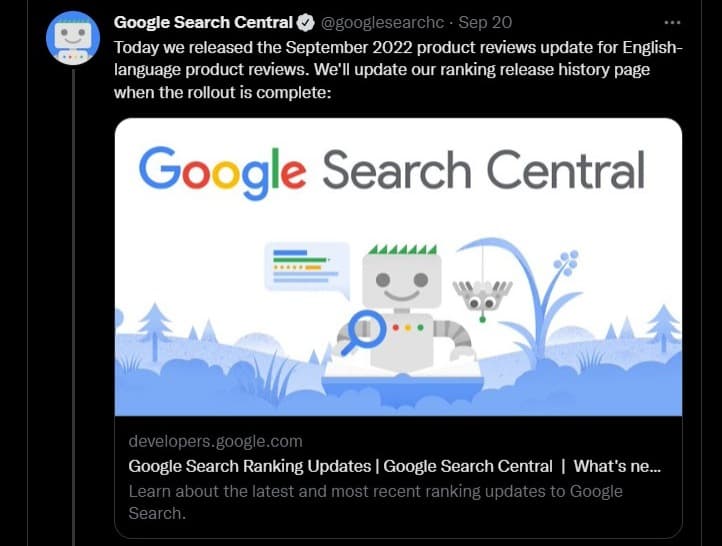
The core algorithms that determine how your pages rank in Google’s search results will get an update. It will use various signals, including the number of people who visit your pages and the number of useful answers your pages provide to users, as well as how long users spend on your pages and how many external links point back to your site.
Even though the update is a broad core update, it is relevant to all Google products, including YouTube, Maps, Inbox, and Search.
More accurate answers to factual questions. It’s worth noting that many of these updates are already live, but this announcement refers to the shift to “core search,” which could indicate that Google’s Knowledge Graph is getting more attention in this update.
Faster and more relevant results for mobile searches, including the possibility of fewer clicks needed to reach a final answer.
The company has been working on and testing this update since May. By August 2022, most website owners started to experience drops in their ranking due to an early test of rolling out the new algorithm.
Since then, we’ve also seen Google launch a separate Knowledge Graph Update which is reportedly another part of the same update. This is why SEOs have warned that if you haven’t started preparing for this update now, it may be too late before it arrives next month.
Although it’s still unknown exactly what this September update will do to your SERP rankings, we’re predicting it will be a big one. Google has been planning on rolling out this update for some time. So, there will likely be many changes and impacts on your rankings.
We’ve already seen an early test of the September Core Algorithm Update as it rolled out to a small group of Fortune 500 brands. Google said this was “a sample test of new features that may come into play in the future.”
For the most part, there weren’t many changes to site rankings, but we did start seeing short snippets (snippets they later claimed were due to a Knowledge Graph update) shown in search results. This is one reason we’ve been keeping an eye on this update, even though most websites haven’t yet seen the effect of it.
While Google hasn’t yet announced what they believe may play in the final rollout of this update, we expect that it will include some changes to search engine ranking factors. We expect the update to have extra elements for local businesses and websites in English-speaking languages.
Not only has Google confirmed at least one algorithm change for the upcoming update, they’ve also promised that there will be more algorithm changes added later (in response to user feedback). Google points out that “this is not the launch of a new algorithm” but instead just another change to their current algorithm, which happens routinely and frequently.
They’ve also said that the update is much bigger than most and requires a more “in-depth” look at the data. There may be some tweaks to how pages are ranked on this algorithm, but it’s unlikely we’ll see any major changes to how these site ranks.
The September Core Algorithm Update requires users to opt-in at the start, which means they may need to change their website mark-up and design to accommodate this new update. This may not be possible for all websites, so you’ll want to check with your web developer before making any changes. It’s also possible that the update won’t affect you at all.
Internet users can expect Google to use the same policy on its YouTube platform as they have been doing with its search and news services. As a result, the new algorithm change may affect the traffic of some popular YouTube channels.
YouTube creators, who are in charge of monetising their videos, may try to respond by creating more premium content for their audiences after the algorithm change. In addition, this latest update could help creators gain better reach for their videos and improve their monetisation.
Google also uses the update to tweak its search system to answer user queries better. The most significant is how it moves up or down the links in search results. It will now move them down and show them as questions rather than answers, marking whether a page has useful content. However, this is not a case of Google determining the value or accuracy of a page but rather using artificial intelligence to determine if it delivers what users want.
Finally, the update could make it easier for people to find local results for their searches by giving more weight to what users have said in reviews and rating pages.
Whichever way, we’ll continue to track this update and provide more information on how it will impact users soon as we learn more about this update.

If you’ve been running a website for some time, you’re probably at least somewhat familiar with Google’s Search Console. But this guide is for you if you’re new to Search Console or have never spent time with it. It’ll walk you through all that Search Console has to offer and help you discover what Google Search Console is, its importance, how to utilize it, and much more. Ready? Let’s go!
Google Search Console is a hosted service that Google provides to help you with your SEO. This hosted service provides tools that let you understand where traffic is coming from and how well it performs on your website. Google analyses your site’s performance based on the data you provide them. And eventually, this data is used to build a profile of your site and how it performs over time.
By using Google Search Console, you can answer questions like:
“How many people visit your site? How long do they stay? What pages do they see? Where do your visitors come from? What were people searching for that led to your site?”
Without Search Console, however, these questions would remain unanswered. This means you would be in the dark, wondering what happened to all of your traffic. Indeed, you’re in charge when you understand how your site performs!

Search Traffic is the main reason that most marketers use Google Search Console. This tool gives you the ability to see your organic search performance.
Organic search traffic is the traffic you receive from Google and other search engines based on specific keywords or phrases typed into Google, Bing, etc. So, if you have a website with very little organic traffic, it can be beneficial to leverage this feature to improve your ranking.
The Search Analytics section of Google Search Console gives you insight into where and how people find your website. You can find it within the “Crawl Errors” section of the dashboard. Search Analytics helps you to understand where people come from and how they find your site.
The network sharing feature allows you to see other sites with similar content. Like Search Analytics, Network Sharing gives insight into how people found those sites.
While this feature is most associated with Search Analytics, it can be extremely helpful if your competitors have similar content to yours or if you have a website linked externally by someone else. On this occasion, you must know what that person who shared your site has to say about it.
Network Sharing is great for learning about which publications have linked to your site or for seeing which keywords people use when they find your website.
The keyword overview section gives you an insight into which keywords you rank for. Doing this helps you learn what keywords to focus on to improve your organic search traffic. In addition, it also lists the number of people who’ve clicked on those queries. As a result, you can learn where people are gaining organic traffic and how many views that traffic generates.
Here, you get information on using the tools in Google Search Console. In addition, a link allows you to access the Google Search Console Help Blog, which contains helpful information on the use of each tool. In addition, some other articles and videos can help you get familiar with the various features of Google Search Console.
URL inspection tab: Helps for site clean-up, page inspection, and code analysis. These tools can help to optimize your website and fix broken links in the process.
As previously mentioned, you can use the URL inspection tool to see if a site has been hacked. However, it is necessary to ensure that the URL inspection feature is turned on. When Google crawls your site, they will not be able to determine if your website has been hacked. Ensure this feature is turned on to know if issues arise with your site.
Coverage: Coverage shows the percentage of indexed pages, links to your site, and internal links on your site. It can be used to identify internal issues that can affect your website’s performance. For example, if you have many broken links on your website, it would show up as a significant number in this feature.
Sitemaps: Sitemaps allow you to upload a sitemap for your website. It is important to input the sitemap file into the feature as it helps Google find new pages that may have been added to your website. This tool can also be used if you have moved a page on your site and want to update Google with the new page location. It is also good practice to check this feature as it will alert you if there are any issues with your sitemap.
Removals: Help to determine if others are using your website and copying your content. It will help find who is using the site by showing URLs of pages duplicated on other sites. This feature can also be used to clean up any duplicate content.
Page experience: Page experience lets you see how people find your site. It will show you the number of visitors, their demographics, browsers, and devices accessed on your site. It will also display how long they stayed on your site and if they left a comment or email address with the site.
Core web vitals shows your site’s performance with other websites. With this feature, you get a good idea of where others are ranking and how you perform compared to them.
Mobile usability: Here, you get to know how your website performs on mobile devices. It will show you if there are any issues on mobile devices and give you an idea of what is affecting their performance.
Crawl errors: With this feature, you can view errors that Google has found on your site and how they found out about them. This helps find issues on your site that need to be fixed, such as broken links, missing alt-text, etc.
The features in Google Search Console are extremely helpful in understanding how your website is performing and what actions improve your organic traffic. Using these features, you can track progress and get valuable insight into how these improvements affect your website’s performance. In addition, these tools will allow you to understand where changes need to be made on your site.
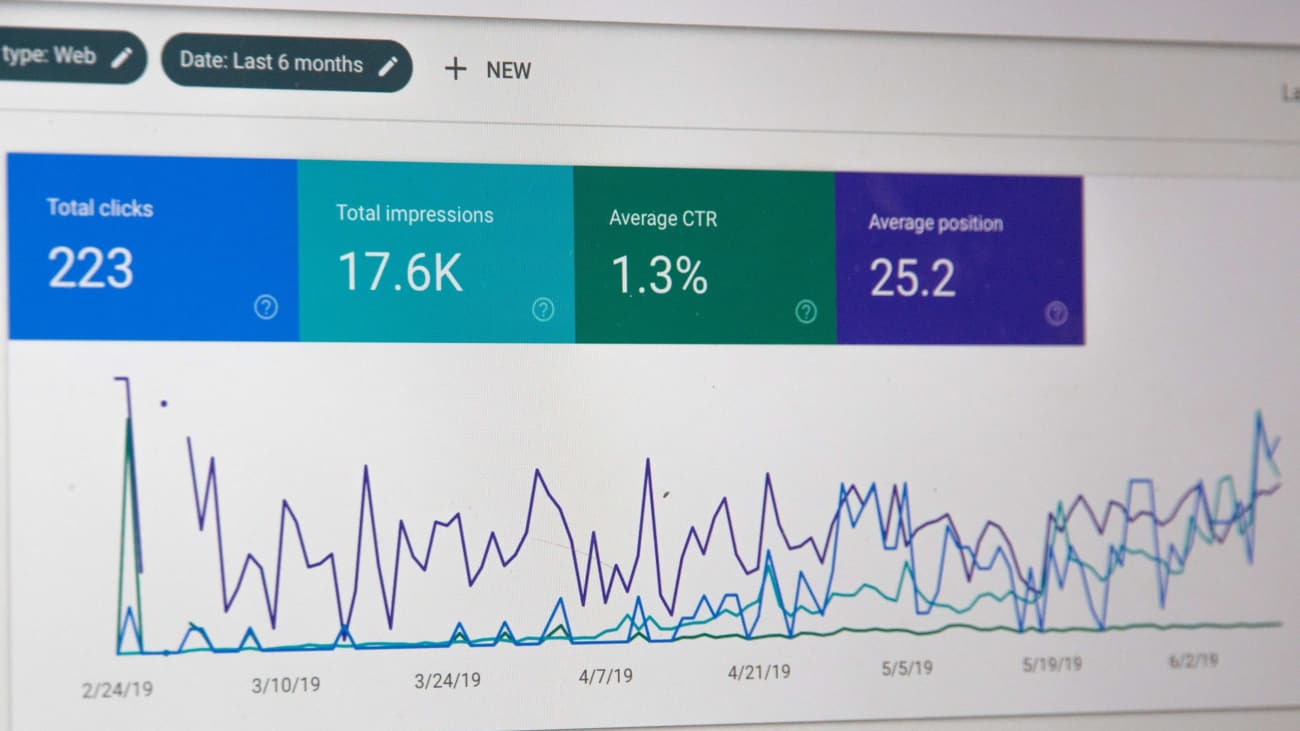
Do you have a report on the performance of your website? These days top brands and SEO experts understand the relevance of SEO practices.
In this article, you’ll discover top tips on performing an SEO audit like a pro, including the latest tools and practices.
Simply put, an SEO audit helps you check the overall health of your website. This improves your site’s prevention against spam and provides ideas on how to optimize them. Keeping in mind that Google changes its algorithm regularly, an SEO audit keeps you on track with the latest trend and search patterns.
Whether a business owner or a digital marketer, performing frequent SEO audits is an integral part of your business. Luckily, you don’t have to break the bank for an efficient SEO audit for your brand.
We recommend you have an SEO audit every six months or one year. However, check ranking metrics and performance every time (maybe weekly or monthly).
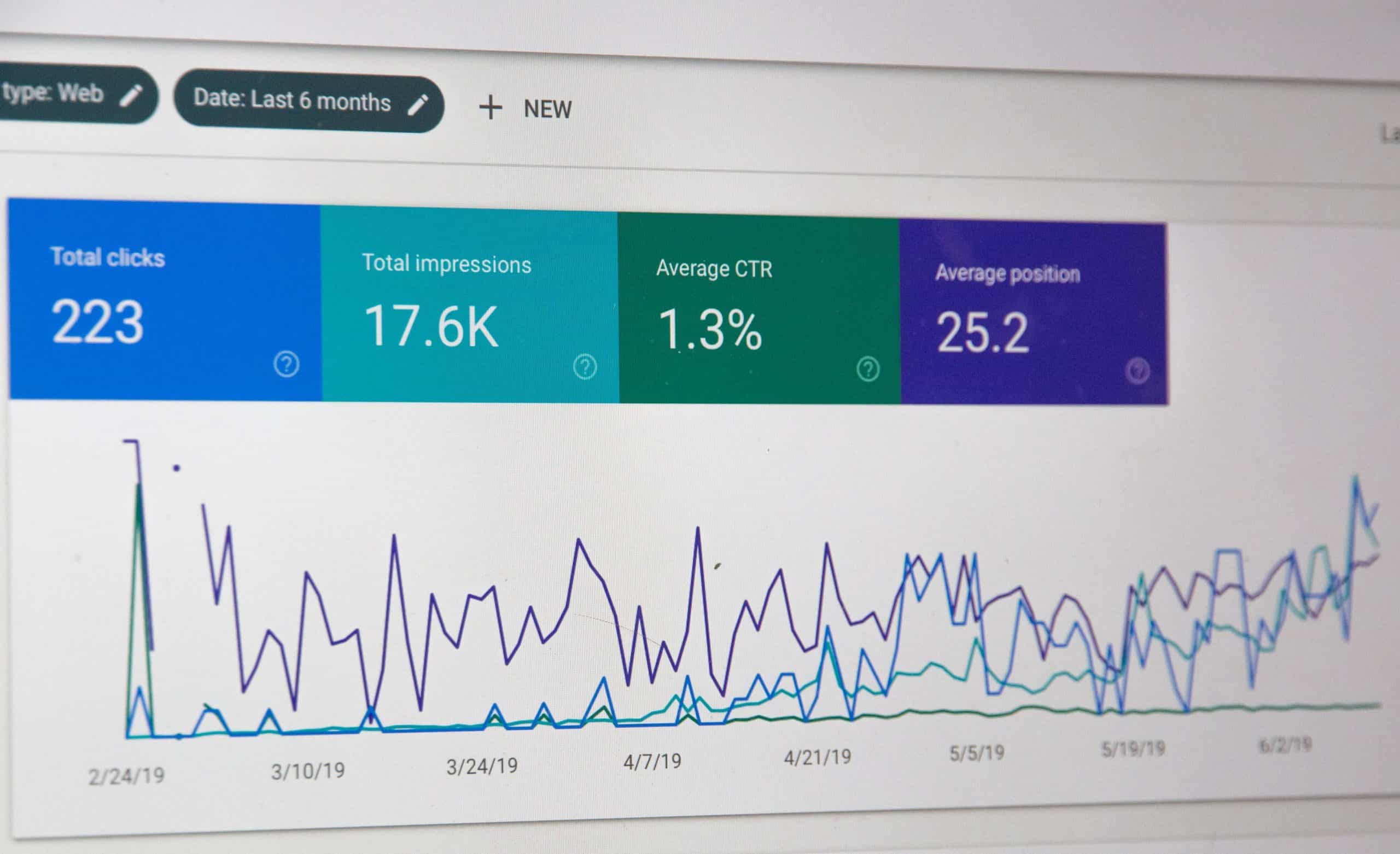
When performing an SEO audit, you first want to check average ranking positions for your unique keywords. For an accurate metric, you can use either SEMRush or Ahrefs. For instance, in SEMRush, you can check for relevant SEO metrics for your targeted keywords.
For instance, you could check about 40 to 50 keywords to see if you’ve great rankings for these. Remember, the goal of everyone is to be on page 1 of SERPs. So, aim for the top!
There are two ways to do this.:
You can use an SEO tool like SEMRush to understand what your competitors are doing deeply. Whether performing an audit for an old or new site, the Semrush tool will auto-populate a report about your top 100 competitors. And it shows you where each one is sitting in the SERP.
Google helps you see where you and each of your competitors rank with a specific keyword. With this, you can understand how search engines like Google choose relevant information and authority of each site.
Apart from using an SEO tool, you can perform a manual search by inputting your unique keywords into a search engine. So, you can see the pages on your website that rank well and anyone that isn’t doing so great. Also, you can determine if your site is indexed effectively.
Again, you want to watch out for your website’s meta robots tag, which tells SERPs what your pages’ content is. If you notice a page that is not indexing, this may be a problem related to this meta robots tag. So, you already know what to fix.
Having duplicate content on your pages can badly hurt your SEO practices. Search engines can penalize your site if you’ve got any duplicate content. This is why it’s important always to craft original SEO content. Some businesses even invest many bucks into hiring professional writers because their brand is valuable.
Sometimes, search engines can find two pages on your website with similar content. This, of course, is regarded as duplicate content. Keep in mind that duplicate content isn’t always the same as lifting content from other websites.
It’s important to have short, descriptive meta tags that easily tell the reader about the page. Generally, keep your meta description between 150 to 160 words. Search engines and irrelevant will cut off anything more than this. So, ensure to insert your keywords where possible.
When optimised, meta tags encourage a reader to click through a page on a SERP to your site or ignore it. They might jump to your competitor – and you don’t want that happening.
Include tags for all images on a particular page, as this is important for bots to crawl that page.
The saying “is not what you know but who you know” is true. Search engines like Google consider the quality of backlinks you get from other top-ranking websites. In other words, if a top-ranking website links to your site, search engines automatically assume and recognise your site as a solution solver.
However, ensure to verify that your links are coming from valuable websites. Otherwise, getting backlinks from questionable sites could cause more harm than good.
As a rule of thumb, no page on your website should have up to 100 outbound links. If this happens, the page will look ‘spammy’ and be classified as a link farm, which is an old way of exchanging reciprocal links. Performing an SEO audit, however, helps you see the number of outgoing links on each page of your site.
Unlike outbound links, internal links are safe practices. An SEO audit helps you identify broken links so you can fix them.
Fortunately, you can grab hold of a few tools online to help you perform an accurate SEO audit. Below are our top picks for you:
As expected, Google Analytics makes a list. Google Analytics can be used together with Screaming Frog so you can thorough site performance details, including page views and bounce rates.
Google Webmaster Tools is also another great one for an efficient SEO audit. Google aims to help everyone perform routine checks on the health of their website. This tool lets you view reports exactly the way Google sees your site.
MOZ’s Crawl Test Tool pro version helps you work like a pro. With about £84.94/$99 a month to £513.94/$599, depending on your team size, you can boost your page ranking using dedicated keywords.
Crawl up to 500 websites for free or choose the paid version at $209/£149 annually. Enter your domain (or any other website you want to crawl), and you’re done!
There you have it! A guide to an SEO audit at your fingertip.
With so much content online, connecting with your main audience can be quite intimidating. But reaching out to an amazing team can get you back on track!
If you need any professional help in setting up your report or audit, kindly get in touch with the team today.

Magento is one of the best and most secure eCommerce platforms that comes with built-in security extensions. Deploying the best security practices keeps your site safe from malicious attacks, including data leaks, malware attacks, and data theft.
Read on to discover the best Magento security measures in the industry.
Here are seven best practices to keep your Magento 2 eCommerce store safe:
Magento 2 offers an enhanced Two-Factor Authentication that protects your login to a system. In other words, this layer only gives trusted devices a gateway to the backend by inputting a unique code sent to your smartphone.
Luckily, this feature is a built-in extension that comes with updating your site to the latest Magento version. However, it’s your call to keep this code safe and not share it with an unauthorised user. Hence, you don’t have to panic about password-related security threats anymore!
Contrary to popular misconceptions, upgrading your website to the latest version of Magento is one of the best practices out there. This is because newer versions usually come with better features and security patches. Usually, developers build on older Magento versions and fix the loopholes they notice. Hence, it’s important to keep informed and upgrade your store to a stable version of the latest Magento release.
However, we recommend that you always watch out for a stable version of a Magento update.
Use HTTPS/SSL to send data, like your login details, on your site to avoid risks of the data being intercepted. Using a secure Magento connection eliminates possible interception from attackers.
In Magento, all it takes is to check “Use Secure URLs” in the configuration menu and change the URL. It’s that simple. Alternatively, ask your hosting provider to sort it for you.
If you’re one of those site owners that forget login details easily, it’s not enough to use “too simple” passwords. A password is a key to your multi-dollar eCommerce store. So, what to do?
When creating a password, mix upper and lower case alphabets with numbers & characters, etc. You could use a password management service so you don’t keep forgetting again. Furthermore, keep your Magento password separate from other websites or applications to avoid an easy guess for hackers.
Magento reCAPTCHA is probably the best way to protect your store from intruders. It’s a foolproof practice of blocking spam and ensuring your website is safe.
reCAPTCHA comes in handy for ensuring that safe logins in being initiated on your store by a human and not bots. Hackers use bots for malicious activities but reCAPTCHA can only be solved by a real human. And since reCAPTCHA also ensures that search engine spiders can only crawl the important pages, it keeps your website safe from spam.
It’s essential to set a custom path for the admin login of your Magento store. Just so you know, an intruder can easily hack a my-site.com/admin route, which is a normal admin panel.
You can prevent this by using a customized word, in place of /admin. An example of a customized word is Store Door. So, admin login changes to my-site.com/store-door. So, even when someone hacks your password, this custom term prevents them from accessing your admin dashboard. You can change the admin URL in Magento 1 by editing the local.xml. For Magento 2, edit the env.php file to rewrite the URL function.
While the aforementioned practices are great to keep your Magento store safe, it’s also a smart thing to have a backup plan. Set up a weekly off-site backup plan and keep your data secure. So, even if your site crashes or gets hacked, you can prevent data loss by frequently backing your site.
There you have it! Protecting your eCommerce investment should be your top priority right now. In case you require professional expertise, feel free to speak with us directly on 03333 01 1985.

Have you considered how SEO can help you yet? For sure, you have heard lots and read some sorts on the web.
But do you know how it can help your business? Below we discuss 15 top benefits of SEO.
SEO plays about the average of the role in spreading your business. The more your business value over the web, the higher your potential of increasing your brand.
Your brand speaks volumes about who you are, what you are, where you are, and more. Coupled with offering unrivalled services, you need to put your brand on the lips of your customers.
SEO helps you gain much popularity that makes users themselves sell your brand to others. This way, users all over the world can contact you through organic searches via the web.
Well, the success or growth of any business relies on the Online Marketing Strategies you plan to implement. One of those strategies, however, is Search Engine Optimization (SEO).
In essence, it makes sense to invest in SEO. Wondering why? Almost 90%of users across the globe rely on Search Engines to find any product or services!
When used correctly, SEO, and offering quality services on your website puts you in a better position to lead your competitors.
However, if your competitors are using the same strategies as you, you might need to implement almost all tips of effective Digital Marketing to leave them behind.
It aides or strengthens even your PPC campaigns. While PPC is a paid strategy, SEO is FREE. However, incorporating both gives even better results – YES, they can work together.
In addition to acting as a backup plan for your PPC campaigns, SEO reinforces your presence in search engines. Imagine having your page on Google’s top list and having your ad displayed at the top – epic!
Moreover, you can use data from SEO to determine a page that ranks best and target your ad for such a page for better conversions.
Generally, running paid ads costs money and brings instant results. SEO, on the other hand, is free but takes time.
However, in the long run, SEO gives a better return on investment (ROI) than paid ads. Statistically, a single hit from Google organic search pays better than a hit from PPC or other paid ads. In other words, you might have 2x sales from an organic lead than from an ad.
Also, keep in mind that organic results compel a higher percentage of users than paid ads.
This benefit of SEO might make more sense for local businesses. That is because about 80% of local searches convert. So, investing in SEO improves your visibility to local searches and also increases your sales.
And if you’re not investing in local SEO, you give your competitors an edge – you bet they do! As a result, it becomes easy for them to outshine you. Don’t do that!
SEO also helps people find your website. Online marketing offers strategic tools that drive high-end traffic to your site.
When you engage proper SEO measures, your target audiences will see your website in search results. They can find you when they need to – not a coincidence. So, they are more likely to devote more time and act on your calls-to-action (CTAs). Moreover, this reduces bounce rates on your site.
This fact is one of the major reasons over 60% of marketers say SEO is a reliable strategy.
A key benefit many business owners often ignore is how SEO might help improve their credibility among users. Ranking on Google’s first page – or other search engines, like Bing – will mean that users find your page reliable and useful. And of course, signals they trust your site.
About 75% of users don’t usually go to the next search result page. Yes! The reason is that users trust Google, for instance, to filter the results according to their search query – eliminating spams.
In other words, say they input “website design agency in Bradford,” they expect webpages that are relevant to this keyword phrase.
So, Google falls back to using on-site and off-page signals, including content you create and page loading speed.
Just as you know, Google has a practice of putting highly usable and relevant pages in its top positions. Google understands how to interpret users’ feedback and experience. And it uses these elements to determine whether a website can be on its first page or not.
User experience matters a lot – if not the most useful element to ranking.
However, an SEO professional makes it very easy and simple to optimize your web pages for optimum results. Applying the basic principles of SEO yields better experience and indexing for users and search engines, respectively.
In online marketing, there’s always a need to measure one’s growth and results.
SEO is such a great tool for this purpose since it is measurable than any other type of marketing strategy. With SEO, you can see where you are and where you are going in online positioning. Having proper projection, tracking, and analytics is possible with this tool of online marketing.
With SEO, you can – but not limited to:
SEO is a long-term strategy, and one you can trust.
It surely takes time, say between 3-6 months, to see your expected results. However, as climbing up the rankings is not so easy, so it is to move down. Once your website ranks very high on Google and other Search Result Pages (SERPs), you rarely move down – fuelling the strategies.
But if you relent on your SEO practices, and the competition increases, you might stop ranking as before. Plus, Google algorithm updates might impact your ranking.
It is just when a webpage is linking to another site or page. There are two, namely, Internal Backlink and External Backlink.
Well, how does SEO help to get more backlinks?
Bloggers and webmasters would always like to link back to a page that appears on Google’s first page. As expected, such a page must be trusted before it ranks so high and puts other SEO practices.
So, if your webpage appears on the first page of search engines, people will also want to link to that page. And your backlink keeps improving as you step-up your SEO game.
Curious to maximize the benefits of SEO or wondering how it can truly improve your business? Talk to a professional today for FREE!
If you need any help or some pieces of advice, feel free to shoot us an email: info@techomatic.co.uk.

Search intent, also known as Audience Intent, refers to the term used to describe the reason behind a person’s search. Over the years, with Google’s intelligence and algorithms, it can interpret search intent and bring results that meet the user’s search query. After all, Google is more concerned with satisfying the intent and questions of a searcher.
Since a user might search for information, an answer to a question, look for a specific website (service) or want to buy something, search intent can make you understand their activities. And you can optimize search intent for your SEO strategies – they work best together!
An overview of the main types of search intents may be:
Let us dive in to discuss the types of search intent available.
So, there are various types of search intent. However, we will discuss the four prominent ones:
As it is, users surf the web by inputting search queries for information they need. That could be information about a product or service, the weather, SEO, and it goes on. Users with informational intent have a unique keyword or a certain topic they wish to know more about.
As a webmaster, you should keep in mind that Google’s intelligence is beyond just the search query of a user. In other words, it tends to understand the mind or intent behind a search query. For instance, if someone searches for “fried rice sauce,” Google will likely bring close results, including those of fried rice recipes.
Some examples of informational intent include:
Sometimes, Google includes images and videos as a result of a user’s search query as a form of informational intent.
Another type of search intent is Navigational Intent. Here, users already know the site they want to visit when they try to get information from the web. For instance, those who want to hold a meeting on Zoom are usually on their way to the Zoom website.
Well, focusing on this type of search intent is only beneficial if you already have a large user base. I mean if your site is what a lot of people are looking for. For example, a site like Google can rank for this kind of search intent as several people are coming to look for the Google Trend tool. Or the Google Analytics tool.
So, if your site is known for something or a tool with very low competition, you may try to target the navigational intent. But keep in mind that your click-through rate (CTR) will probably be on the low side.
The third type of search intent is Transactional Intent. It includes when a user searches the web and is ready to make a purchase. This type of search intent is classified under the products or categories on your website.
A transactional landing page should have a clear and catchy call-to-action (CTA). Also, don’t forget to have clear visuals with simple texts(humanly) as much as possible.
Some examples of transactional searches include:
Here, the searcher has the intention to buy later or is looking for the right product or service for them. They probably need to read reviews to make a final decision on which solution provider or agency is ideal for them.
Examples of commercial investigation searches are:
It is important to optimize a landing page and ensure it fits the search intent of your user.
The reason is quite simple: if someone searches for transactional intent, you don’t want to show them a conversational page. I mean there’s every tendency that they already know about such product or service. So, there’s no point wasting their precious time with “long stories” maybe.
Optimizing your product pages for more sales keywords or commercial search intent is a smart idea. Let’s say you offer digital marketing services in Bradford, you could, for instance, optimize a service page for [web design Bradford].
Also, you could target transactional keywords, for instance, [hire an SEO professional Bradford].
It can be a bit difficult to precisely know what search intent your audience use. And, of course, every user target different search intent. But they still land on your page.
I think the best way to know about the search intent of your audience is by asking them. Create a small survey containing relevant questions they search for and make it pop up while they surf your website. With this, you can have valuable insights into their preference and eventually, generate great conversions.
You might want to ask “What then are the benefits or essence of intent targeting?” In addition to increasing your conversion rates for your landing pages, benefits of intent targeting include:
So, do it right and expect more targeted traffic, better engagement, and even conversion rates on your pages.
While you optimize your search intent for SEO, ensure that you check other SEO practices, especially publishing quality content. Don’t forget that you are writing for people (users) and you aim to solve their search queries.
However, don’t forget to lead people to your sales pages – after all, you’re in business for this.
If you would like to use the text or infographic feel free to as long as you place a link back to this page to give credit
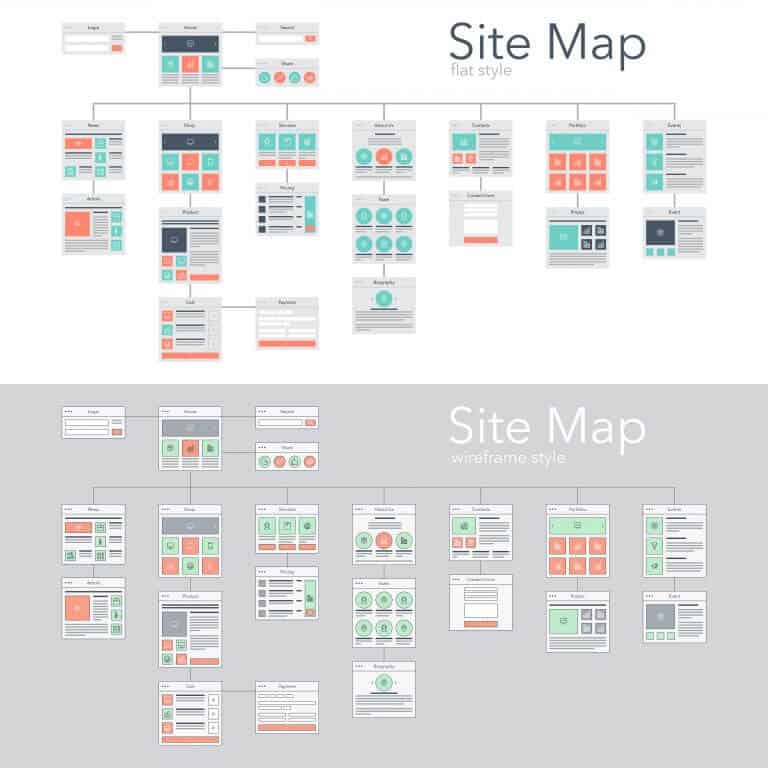
Sitemap optimization is part of the indexing process of any website. The reason is not far from the fact that it makes search engines, including Google, to crawl your pages easily. Moreover, it aids better navigation on your site, thereby making you more visible on search engines.
While this is true, it requires lots of expertise. Like SEO, a sitemap is not a one-time tactic but an ongoing strategy. So, with all these in mind, I decided to explain what sitemaps are and show you the best sitemap to use for SEO.
Let’s dive in further.
Ever wondered what makes it easy for search engines like Google to crawl and index your website pages? The term is called “Sitemaps.”
According to Google, a sitemap is:
“a file where you provide information about the pages, videos, and other files on your site, and the relationships between them. Search engines like Google read this file to more intelligently crawl your site. A sitemap tells Google which pages and files you think are important in your site. Also, it provides valuable information about these files: for example, for pages, when the page was last updated, how often the page is changed, and any alternate language versions of a page.”
A sitemap is a pattern or blueprint of your site that makes your content visible and crawlable. Let’s discuss the available types.
Let’s outline the limitation of XML Sitemap:
If you, by chance, exceed this limit, you must split the XML Sitemaps across the pages of your website. Eventually, it can then be combined into a single XML file (mostly called sitemap-index.xml).
For search engines to easily index your site, you can ping your sitemap index(es) to Google. Alternatively, you can indicate your sitemap index(es) in your robots.txt.file.
Another option is by linking them to Google Search Console and Bing Webmaster Tools.
Helps Google find content on sites that are approved for Google News.
Image sitemaps aid the indexation of image content.
Although search engines crawl images within page content, it still makes a lot of sense to use JSON-LD schema.org/ImageObject markup. This markup tool links image properties to search engines as it is more reliable than an image XML sitemap.
It may not be necessary to include an image sitemap. However, an exception to this is if you deal with images often or use them to connect with your customers.
If you have videos on your site or often do, remember to submit an XML Video Sitemap. All you need to do is use JSON-LD and schema.org/VideoObject markup on whichever page as applied.
Yes, as I promised, I will show you the best sitemap practices that will improve your SEO game. Here they are:
First and foremost, create a sitemap.
If WordPress is your CMS, you can use dynamic SEO plugins like Google XML Sitemaps or Yoast to fetch a sitemap. This kind of plugin can help you update your XML sitemap automatically.
So, whenever you have a new page, the SEO plugin will add that link to your sitemap dynamically.
On the other hand, if you don’t use WordPress, the XML-Sitemaps.com generator tool comes in handy for you.
However, after creating a sitemap for your website, check manually to ensure that it displays all your pages.
Then, the next step is to submit to Google.
Submitting your sitemap to Google is just straightforward. All it takes is:
login to your Google Search Console account – go to “Index” – then, click on ”Sitemaps.”
Then, hit the submit button.
Sitemap Report to Detect Errors
Once your site is already indexed, click on “Submitted Sitemaps” to confirm it successfully.
Use Sitemap to Find Problems with Indexing
A sitemap also helps you estimate the number of pages you want indexing and those that are already indexed.
It can help you see if you have duplicate texts or content on your site. And as you know, Google will never index such pages.
Prioritizing your web pages means including SEO relevant pages in XML sitemaps.
This practice works pretty well because Google allows you to assign a score between 0.1 and 1 to each page.
Search engines, including Google, will give preference to crawl the page with the highest score more often than those with a low score.
A trick, however, is to prioritize higher scores to the page you publish content on more often. For instance, if you have a blog on your site where you keep updating your posts, give them higher scores.
Likewise, pages like “about us” or “trademarks” that you barely update should get lower scores. Specifically, here is a list of pages you should not include:
As much as all pages are important to your business, resist the urge to spread high scores evenly on all. The reason is simple – search engines won’t be able to know which is dynamic or static. This way, you could lose some ranking benefits.
Also, prioritizing your pages helps you crawl budget effectively.
Here’s the fun part: you don’t have to sync your XML sitemap manually with meta robots on all your pages. XML sitemaps don’t essentially need to be static files.
It’s not a rule to add a .XML extension to their names before submitting to Google. Instead, setup logics that indicate which page gets added in the XML sitemap and which doesn’t. And apply the same logic to set meta robots index or noindex on such a page.
It all comes down to awareness for SEO professionals and webmasters to pay attention to the importance of sitemaps and its additions to websites.
Optimization of sitemap is one of the basic strategies you can use to improve your search visibility and online presence. Use the best practices I explained above to scale your SEO game.